


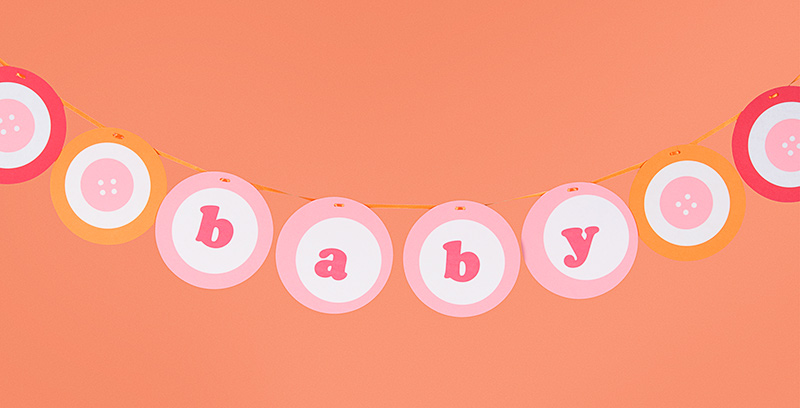
Welcome baby with a banner that’s cute as a button! You can easily customize the colors using any combination of our circle cards and labels. Further personalize by changing the message on the banner – use baby names or special greetings. Makes for great nursery décor too!
–Annie
PS colors: gravel & beet
Latest fave: Tree Trunk Tea Light and Japanese 8 1/4″ Scissors
Materials Needed:
Circle Cards (blossom, strawberry & poppy)
Eco-white 4″ Round Label Sheets
2 1/2″ Round Label Sheets (blossom & strawberry)
Poppy 1/4″ Satin Ribbon
1/4″ Hole Punch
1/8″ Hole Punch
Instructions:
1. Create buttons for banner by sticking eco-white 4″ round labels to the centers of blossom, strawberry, and poppy circle cards. With the 1/4″ hole punch, punch four “button holes” into the centers of blossom and strawberry 2 1/2″ round labels. Layer on top of the 4″ round labels.
2. Print your message (baby) or a child’s name onto eco-white 4″ round label sheets using our print template.
3. Finish by punching two holes at the tops of all circle cards with a 1/8″ hole punch and threading with poppy 1/4″ satin ribbon.
To create a baby boy banner try using circle cards and labels in pool, chocolate, bluebell and eco-white.
You could even thread some ribbon through some of the button holes!
what a great tip katie! i styled this craft after these sweet button stickers we designed. there’s also rubber stamps to match too! a whole button suite can be created with these simple and adorable images. i’m even imagining real buttons strung onto favors! ok, i can just keep going!
http://www.papersource.com/item/Pink-Buttons-1.25-Circle-Stickers/2703_021/37199963.html
http://www.papersource.com/item/Light-Button-Rubber-Stamp/2901.016/871358.html
http://www.papersource.com/item/Dark-Button-Rubber-Stamp/2901.016/871359.html
Cute idea Katie!
Okay – this is adorable. I have zero time for crafting anything but jewelry but I think I may have to make time for this one! I’m thinking about personalizing it with my baby’s name and hanging it in her room – how cute would that be?
love this idea so much! i’ll be featuring and linking you up this weekend with this idea!!
Perfect! I am looking for ways to decorate and personalize the nursery. I’ve already have small versions of the paper lanterns from the post a year ago hanging up.
What font did you use for the lettering? It’s great!!